Most AI tools interrupt your workflow.
You are reading an article, drafting an email, editing a Google Doc, or writing a LinkedIn post. Then you have to copy the text, open another tab, paste it into an AI tool, generate a response, copy it back, and fix the formatting. It works, but it adds friction every time.
Page Jarvis is built to remove that friction.
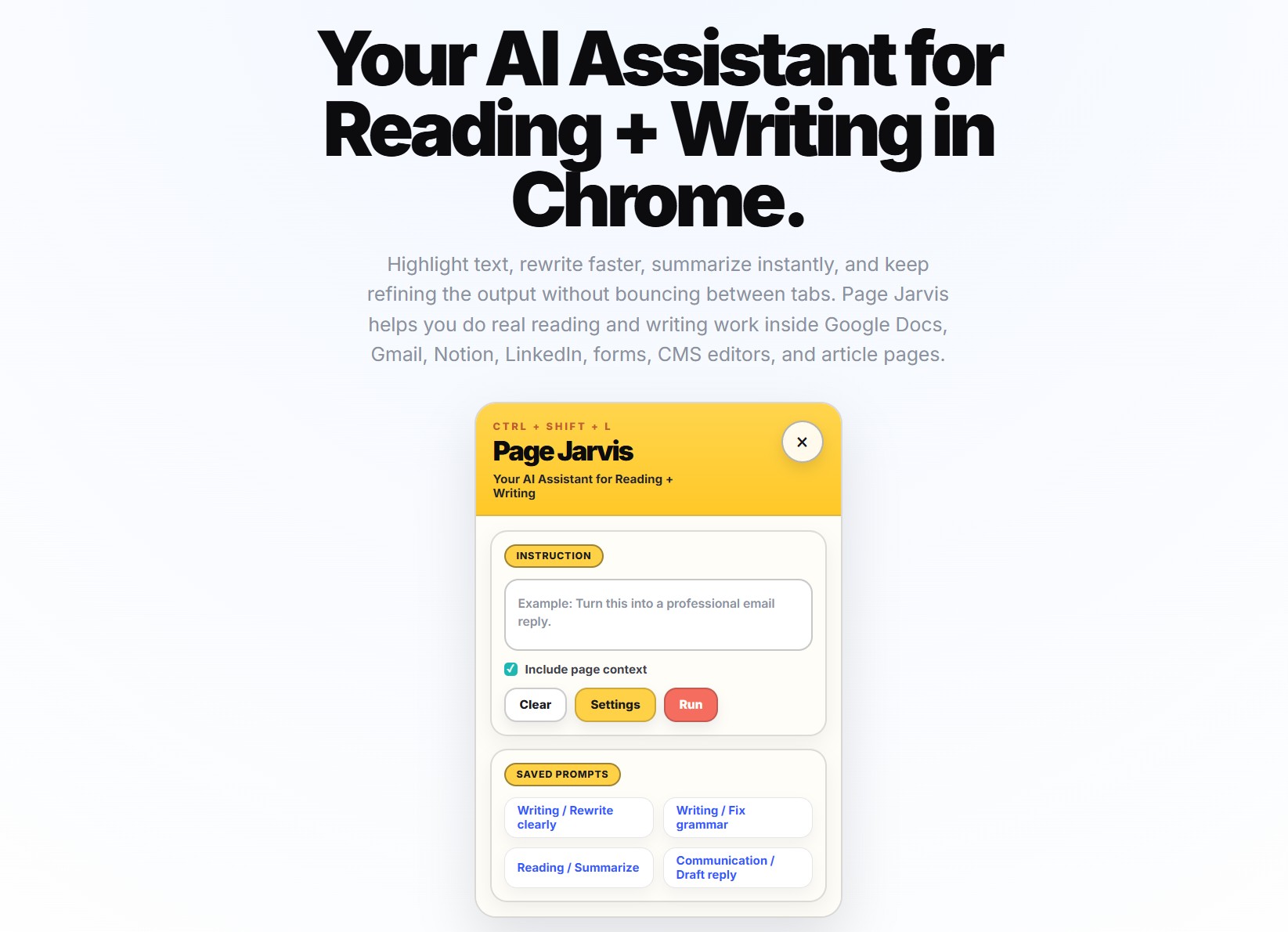
Page Jarvis is an AI Chrome extension for reading and writing inside the browser. Instead of forcing you to leave the page, it brings AI assistance directly into the websites where your work is already happening. You can highlight text, rewrite it, summarize what you are reading, ask questions about the current page, and refine the result without bouncing between tabs.
It is designed to work across places like Google Docs, Gmail, Notion, LinkedIn, article pages, forms, and CMS editors.
What is Page Jarvis?
Page Jarvis is a browser-native AI assistant that helps you do reading and writing work directly inside Chrome.
That means it is not just another AI writing app in a separate tab. It is an extension that works in context, on the page you are already using.
With Page Jarvis, you can:
- rewrite selected text
- improve clarity and tone
- summarize long pages
- ask questions about what you are reading
- draft replies faster
- reuse saved prompts
- keep refining results in an ongoing thread
The simplest definition is this:
Page Jarvis is an AI Chrome extension that helps you read, rewrite, summarize, and refine text directly inside the browser.
Why “inside the browser” matters
The phrase “inside the browser” is the reason Page Jarvis exists.
Most AI workflows still create unnecessary steps. You leave the page, move text into a chatbot, get an answer, and then manually bring it back into your work. Even when the output is decent, the process is clunky.
Page Jarvis is designed around a better workflow: AI should show up where the work already happens.
That matters because it helps you:
- reduce tab switching
- preserve more context
- act on selected text instead of whole documents
- iterate faster
- stay focused inside the app or page you are already using
In practice, that means less copying and pasting and more getting the work done.
What can Page Jarvis help you do?
Page Jarvis supports both reading workflows and writing workflows.
Rewrite highlighted text
Sometimes you do not need a full draft. You just need one paragraph to sound clearer, one sentence to be shorter, or one section to feel more polished.
With Page Jarvis, you can highlight the exact text you want to change and rewrite only that part.
Summarize pages while you read
If you are on a long article, research page, or dense document, Page Jarvis can summarize the page, pull out the main points, or help explain difficult sections.
That makes it useful as an AI reading assistant, not just an AI writer.
Draft replies and messages faster
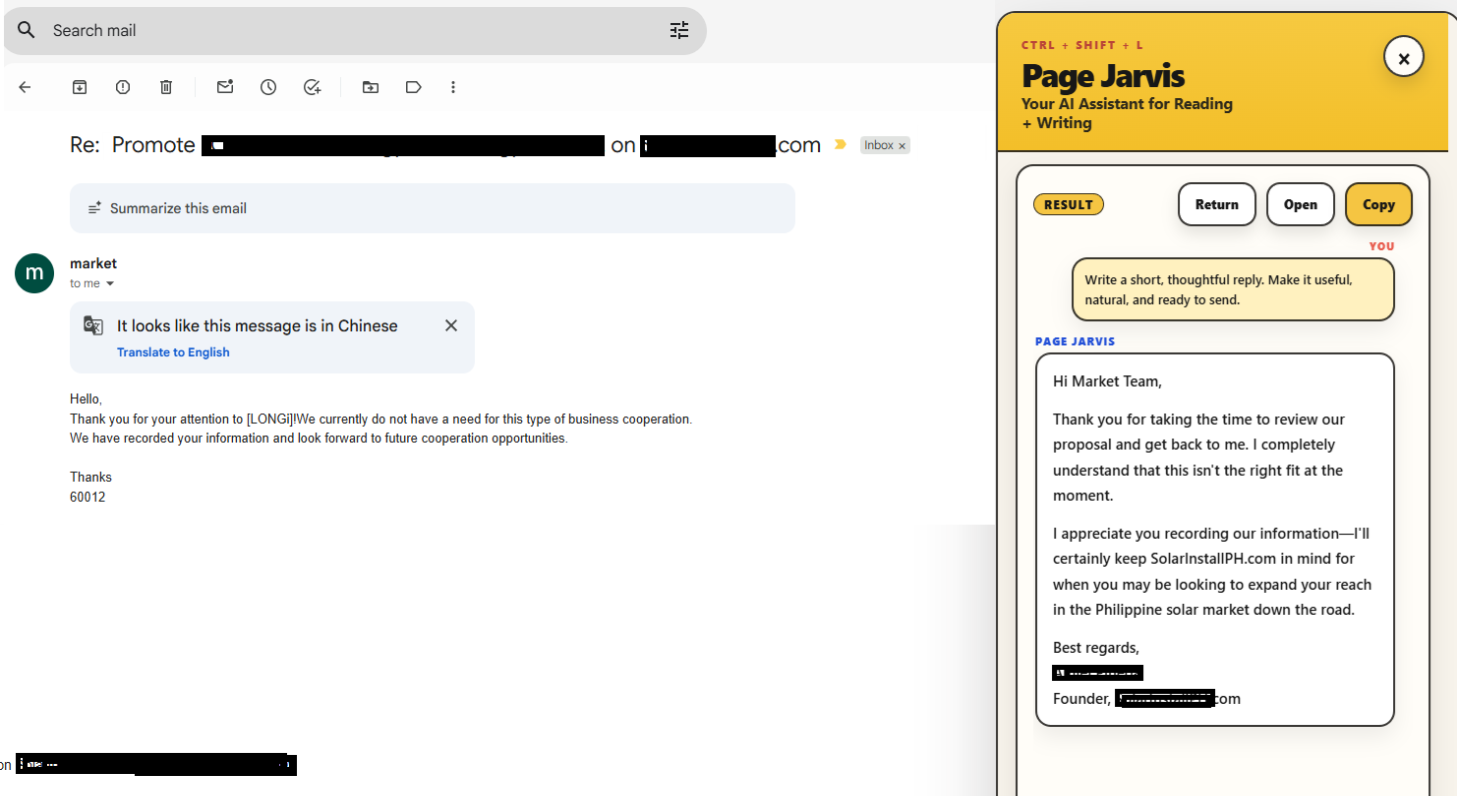
Page Jarvis can help you turn rough thoughts into cleaner emails, replies, comments, and posts without leaving Gmail, LinkedIn, or other browser-based writing surfaces.
Refine instead of starting over
A lot of AI tools stop after the first answer. Page Jarvis is designed for follow-up refinement. You can keep improving the result, shorten it, simplify it, or make it more specific without restarting the workflow.
Reuse saved prompts
If you already know the instructions that work for your writing process, you can save them and relaunch them quickly. That makes repeated tasks faster and more consistent.
Where does Page Jarvis work?
One of the biggest benefits of Page Jarvis is that it works across the browser surfaces where people already read and write.
Google Docs
Use Page Jarvis to rewrite sections, improve wording, and refine document drafts without moving text into another AI tool first.
Gmail
Draft replies faster, shorten long messages, improve tone, and polish email copy directly in your inbox workflow.
Notion
Clean up notes, restructure messy drafts, summarize content, and turn rough ideas into something more usable.
Write or improve posts, comments, connection messages, and replies directly where you publish or respond.
Article pages and web content
Summarize long pages, ask questions about what you are reading, simplify complex passages, and extract key takeaways without leaving the page.
Forms, CMS editors, and browser text fields
Page Jarvis is also useful in many of the smaller writing moments that add up during the day, including forms, content systems, and general web text inputs.
What makes Page Jarvis different from a normal AI tab?
A separate AI tab can generate text. Page Jarvis is designed to improve the whole workflow.
Here are the biggest differences:
It works in context
You do not have to leave the page you are reading or writing on. The AI is available where the task is happening.
It is selection-first
Instead of regenerating everything, you can work on the exact sentence, paragraph, or section you care about.
It supports reading and writing
Page Jarvis is not only for drafting. It is also for summarizing, understanding, and asking questions about pages.
It is built for refinement
The first output is not the end of the process. You can keep iterating until the result is actually usable.
It supports repeatable workflows
Saved prompts and reusable context make Page Jarvis more practical for recurring tasks, not just occasional experiments.
Is Page Jarvis just an AI writer?
No. That label is too narrow.
Page Jarvis is better understood as a browser AI assistant for real reading and writing work.
It can help you draft and rewrite, but it also helps you:
- understand pages faster
- summarize content
- simplify difficult text
- ask questions about the current page
- improve what is already written
- work with the content already in front of you
That broader category matters because many people do not just need “AI writing.” They need help across the whole browser workflow.
Can you use your own AI provider?
Yes.
Page Jarvis supports a bring your own key setup, giving users flexibility over the models and providers they want to use. That makes it a better fit for people who want more control over their AI stack instead of being locked into one bundled setup.
This is especially useful if you care about:
- model choice
- pricing flexibility
- provider preference
- workflow control
Who is Page Jarvis for?
Page Jarvis is for people who do meaningful reading and writing work in the browser.
That includes:
- marketers
- founders
- operators
- researchers
- recruiters
- sales teams
- support teams
- students
- content teams
- anyone who spends a large part of the day working in browser-based text fields and pages
If your work involves reading, rewriting, summarizing, drafting, replying, or refining text online, Page Jarvis is built for that workflow.
Common use cases
Here are a few simple examples of where Page Jarvis fits:
You are editing a Google Doc
Highlight a weak paragraph and ask Page Jarvis to make it clearer and more concise.
You are replying to an email in Gmail
Turn rough bullet points into a polished reply without leaving your inbox.
You are reading a long article
Summarize the page first, then ask follow-up questions before deciding what matters.
You are studying a particularly hard math/science/technical problem
Ask PageJarvis to act as your tutor and help you understand any topic.
You are cleaning up notes in Notion
Select messy notes and turn them into a structured draft.
You are writing on LinkedIn
Improve a post, sharpen a comment, or rewrite outreach copy in place.
What Page Jarvis is not
Page Jarvis is not meant to replace your browser workflow with a separate AI destination.
It is not built around constant copy-paste between tabs. And it is not just a one-shot first-draft generator.
Instead, it is built to help you work better on the page you are already using.
That is the key idea behind the product.
Final takeaway
Page Jarvis is an AI Chrome extension for reading and writing inside the browser.
It helps you:
- rewrite selected text
- summarize web pages
- ask questions about what you are reading
- improve drafts in context
- save prompts for repeatable workflows
- keep refining results without starting over
If most of your work happens in browser-based tools like Google Docs, Gmail, Notion, LinkedIn, and web pages, Page Jarvis is designed to make that work faster and smoother.
Install Page Jarvis today and test it on the page you are already reading.
FAQs about Page Jarvis
What is Page Jarvis?
Page Jarvis is an AI Chrome extension for reading and writing inside the browser. It helps users rewrite, summarize, refine, and work with text directly on the page they are already using.
Where does Page Jarvis work?
Page Jarvis works across browser-based surfaces such as Google Docs, Gmail, Notion, LinkedIn, article pages, forms, CMS editors, and other web text fields.
Is Page Jarvis an AI writing assistant?
Yes, but it is broader than that. Page Jarvis is a browser-native AI assistant for both writing and reading workflows, including rewriting, summarizing, page Q&A, and refinement.
Can Page Jarvis summarize web pages?
Yes. Page Jarvis can summarize long pages, explain difficult sections, and help users understand content faster while staying on the page.
Can I use my own API keys with Page Jarvis?
Yes. Page Jarvis supports a bring your own key setup so users can work with their preferred AI providers.
Leave a Reply